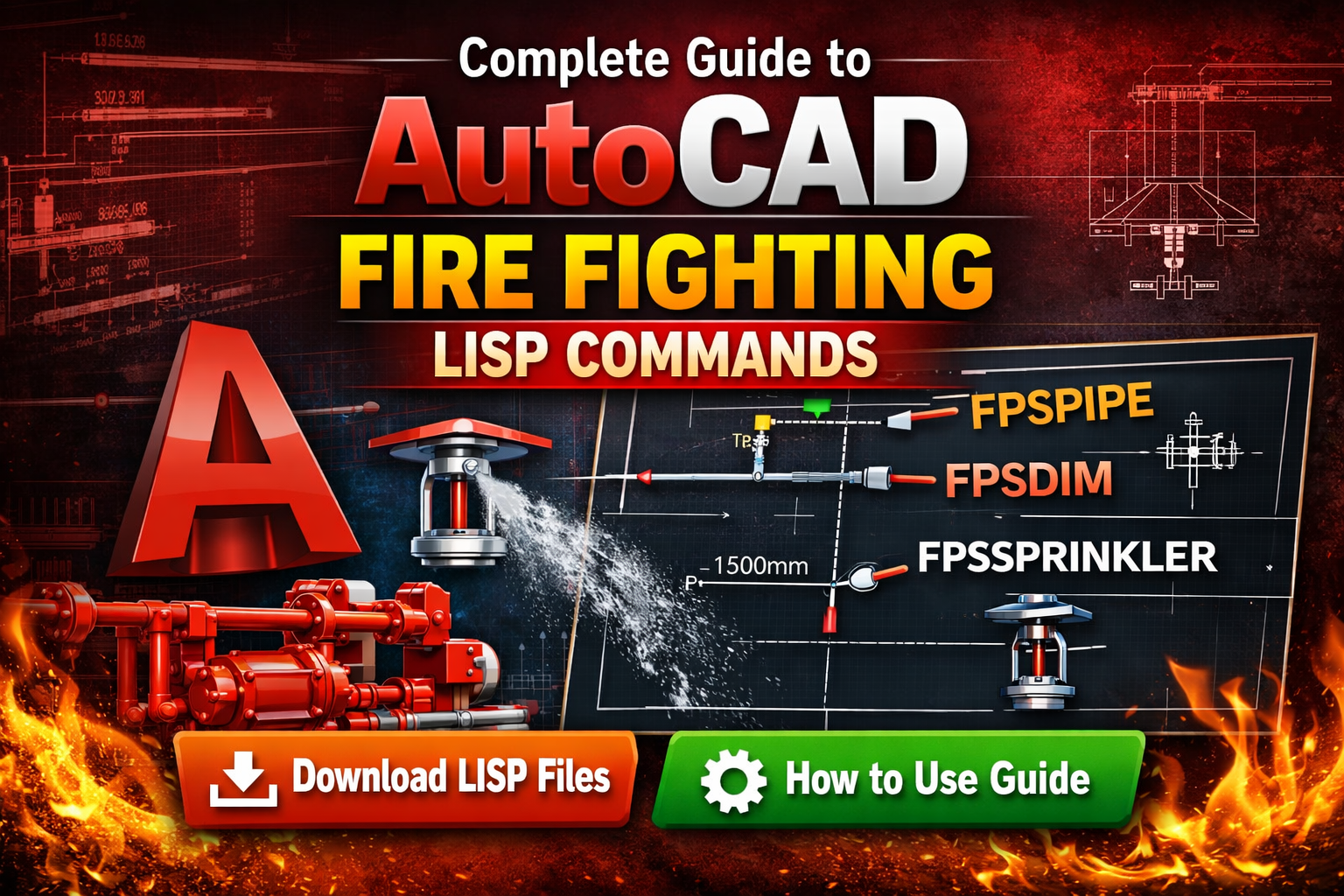
AutoCAD Fire Fighting LISP Commands – Free Download & Complete Use Guide
AutoCAD drafting mein speed aur accuracy bahut important hoti hai, especially jab aap Fire Fighting System drawings bana rahe hote hain. Sprinkler system layout, fire hydrant piping, valves, and pump room drawings manually banana kaafi time-consuming ho sakta hai.
Is problem ko solve karne ke liye AutoCAD LISP commands ka use kiya jata hai. LISP ek powerful automation tool hai jo AutoCAD ke andar custom commands create karne mein help karta hai.
Is article mein hum ek advanced firefighting AutoCAD LISP tool ke baare mein baat karenge jo drafting process ko bahut fast bana deta hai.
Is the LISP tool following my commands available hain:
- FPSPIPELAYER – Firefighting layers automatically create karta hai
- FPSPIPE—Pipe size select karke piping draw karta hai
- FPSDIM – Automatic dimension command
- FPSSPRCOVER – Sprinkler coverage area draw karta hai
- FPSSPRINKLER – Sprinkler grid layout generate karta hai
Agar aap MEP engineer, fire protection designer, ya AutoCAD draftsman ho, to ye tool aapke kaam ko bahut easy bana sakta hai.
What is AutoCAD LISP? AutoCAD LISP ek programming language hai jo AutoCAD mein custom automation ke liye use hoti hai.
Iska main purpose hai repetitive drafting tasks ko automate karna.
Example:
Manual method:
1 Layer create karo
2 Pipe width set karo
3 Line draw karo
4 Layer change karo
Lekin LISP command use karne par ye sab automatic ho jata hai.
Isse drafting speed 3-5x faster ho jati hai.
Features of This Firefighting AutoCAD LISP Tool
Ye LISP specially Fire Fighting System drawings ke liye design ki gayi hai.
Main features:
✔ Automatic firefighting layers
✔ Pipe-size-based drawing
✔ Automatic dimension tool
✔ Sprinkler coverage area tool
✔ Sprinkler grid layout command
✔ Fast drafting workflow
Ye tool following drawings ke liye perfect hai:
- Fire sprinkler system layout
- Fire hydrant system drawing
- Pump room layout
- Firefighting piping plan
Firefighting LISP Commands List
Is the LISP tool following my commands available hain:
FPSPIPELAYER
FPSPIPE
FPSDIM
FPSSPRCOVER
FPSSPRINKLER
Har command ka use alag drafting task ke liye hota hai.
📥 How to Download LISP Commands?
- 👉 Visit our website:
🔗 www.skmechanicaltech.com - 🔍 Open the “AutoCAD” or “LISP Commands” section from the menu.
- ⬇️ Download the required LISP file as per your need.
How to Use LISP Commands in AutoCAD?
🔽 Download Now
👉 Click Here to Download FPS_ALL_IN_ONE_2025
How to Load LISP in AutoCAD
AutoCAD mein LISP load karna bahut easy hai.
Method 1 – Using APPLOAD Command
Step 1
AutoCAD open kare.
Step 2
Command line mein type kare:
APPLOAD
Step 3
Enter press kare.
Step 4
Apni .LSP file select kare.
Step 5
Load button click kare.
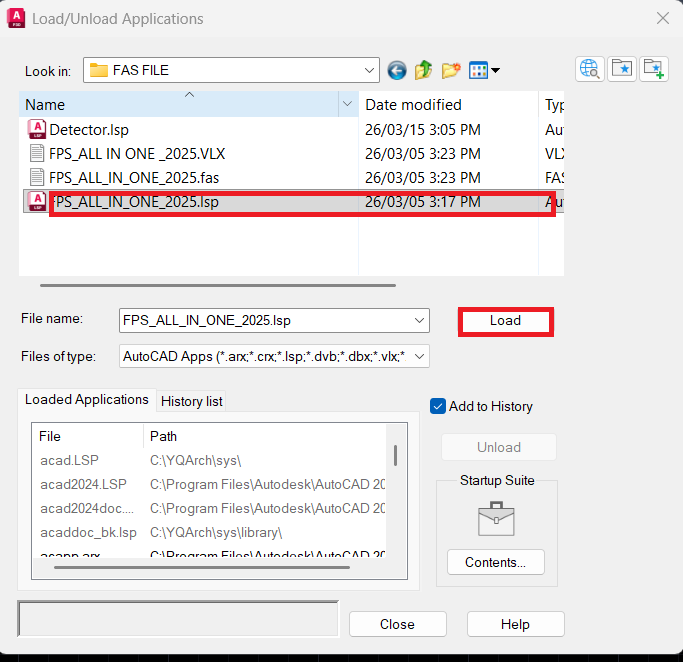
Ab aapki LISP commands AutoCAD mein active ho jayengi.
FPSPIPELAYER Command – Automatic Layer Setup
Firefighting drawings mein bahut saari layers use hoti hain.
Example:
- Pipe layers
- Sprinkler layers
- Valve layers
- Pump layers
- Text layers
Manual layer creation mein time lagta hai.
Isliye ye command automatically complete firefighting layer setup create karta hai.
Command:
FPSPIPELAYER
Create hone wali layers:
Pipe Layers
- FF_PIPE_25
- FF_PIPE_32
- FF_PIPE_40
- FF_PIPE_50
- FF_PIPE_65
- FF_PIPE_80
- FF_PIPE_100
- FF_PIPE_150
- FF_PIPE_200
Sprinkler Layers
- FF_SPRINKLER
- FF_SPRINKLER_TEXT
- FF_SPRINKLER_COVERAGE
Valve and Pump Layers
- FF_VALVE
- FF_HYDRANT
- FF_HOSE_REEL
- FF_PUMP_MAIN
- FF_PUMP_JOCKEY
- FF_PUMP_DIESEL
FPSPIPE Command – Fire Fighting Pipe Drawing Tool
Ye command pipe drawing ko fast banata hai.
Command:
FPSPIPE
Step 1
Command run kare.
Step 2
Pipe size enter kare.
Example:
Enter Pipe Size: 100
Step 3
Ab AutoCAD automatically correct layer select karega aur pipe draw karega.
Features:
✔ Automatic pipe layer selection
✔ Polyline width automatic
✔ Multiple pipe drawing option
FPSDIM Command – Automatic Dimension Tool
In firefighting drawings, dimension bahut important hota hai.
Manual dimensioning mein time lagta hai.
Isliye FPSDIM command automatic dimension create karta hai.
Command:
FPSDIM
Steps:
1 Command run kare
2 Objects select kare
3. Enter press kare
Automatically dimension create ho jayega.
Ye command following objects par kaam karta hai:
- Lines
- Polylines
- Blocks
FPSSPRCOVER Command – Sprinkler Coverage Tool
Sprinkler design mein coverage area show karna zaroori hota hai.
Ye command automatically coverage draw karta hai.
Command:
FPSSPRCOVER
Steps:
1 sprinkler block select kare
2. Coverage type: choose kare
Options:
Circle
Square
3. Coverage radius enter kare
Example:
4000 mm
Features:
✔ Transparent coverage layer
✔ Circle coverage
✔ Square coverage
✔ Automatic draw order
FPSSPRINKLER Command – Sprinkler Grid Layout Tool
Large buildings mein sprinkler grid banana difficult hota hai.
Are command-line sprinkler blocks automatically placed in an array pattern?
Command:
FPSSPRINKLER
Steps:
1 Sprinkler block select kare
2 rows enter here.
3 Columns enter kare
4. Area select kare
Sprinkler layout automatically create ho jayega.
Optional feature:
Grid lines bhi create ho sakti hain.
Practical Workflow Example
Ek building ka sprinkler layout banana hai.
Normal drafting time:
1–2 hours
Lekin LISP tool ke saath:
Step 1
FPSPIPELAYER
Layers ready.
Step 2
FPSSPRINKLER
Sprinkler grid create.
Step 3
FPSPIPE
Piping layout drawing.
Step 4
FPSSPRCOVER
Coverage draw.
Step 5
FPSDIM
Dimensions add up.
Total drafting time:
10–15 minutes.
Benefits of Using This LISP Tool
✔ Drafting speed increase
✔ Standard layer system
✔ Automatic dimensioning
✔ Professional workflow
✔ Time saving
Who Should Use This LISP Tool
This tool is especially useful:
Fire Protection Engineers
MEP Engineers
AutoCAD Draftsman
Sprinkler System Designers
Fire Safety Consultants
Conclusion
AutoCAD LISP commands drafting workflow ko fast aur professional banane ke liye best solution hain.
Is the Fire Fighting LISP tool kit helpful to you?
- Pipe drawing fast kar sakte hain
- Sprinkler layout easily create kar sakte hain
- Coverage area quickly draw kar sakte hain
- Automatic dimension add kar sakte hain
Agar aap Fire Fighting System design karte hain, to ye tool aapke kaam ko bahut easy bana dega.
Commands list:
FPSPIPELAYER
FPSPIPE
FPSDIM
FPSSPRCOVER
FPSSPRINKLER
In commands ki help se aap complete fire fighting drawing minutes mein bana sakte hain.
